과제 1: google dino에서 99999점 받기
Unblocked T-Rex Runner Game from Google Chrome
Game about T-rex running through the desert, jumping over cactuses and dodging pterodactyls
trex-runner.com
1. 페이지 소스코드 분석
- 제공된 링크로 들어가 어떻게 페이지가 이루어져 있는지 페이지 소스코드를 살펴본다.

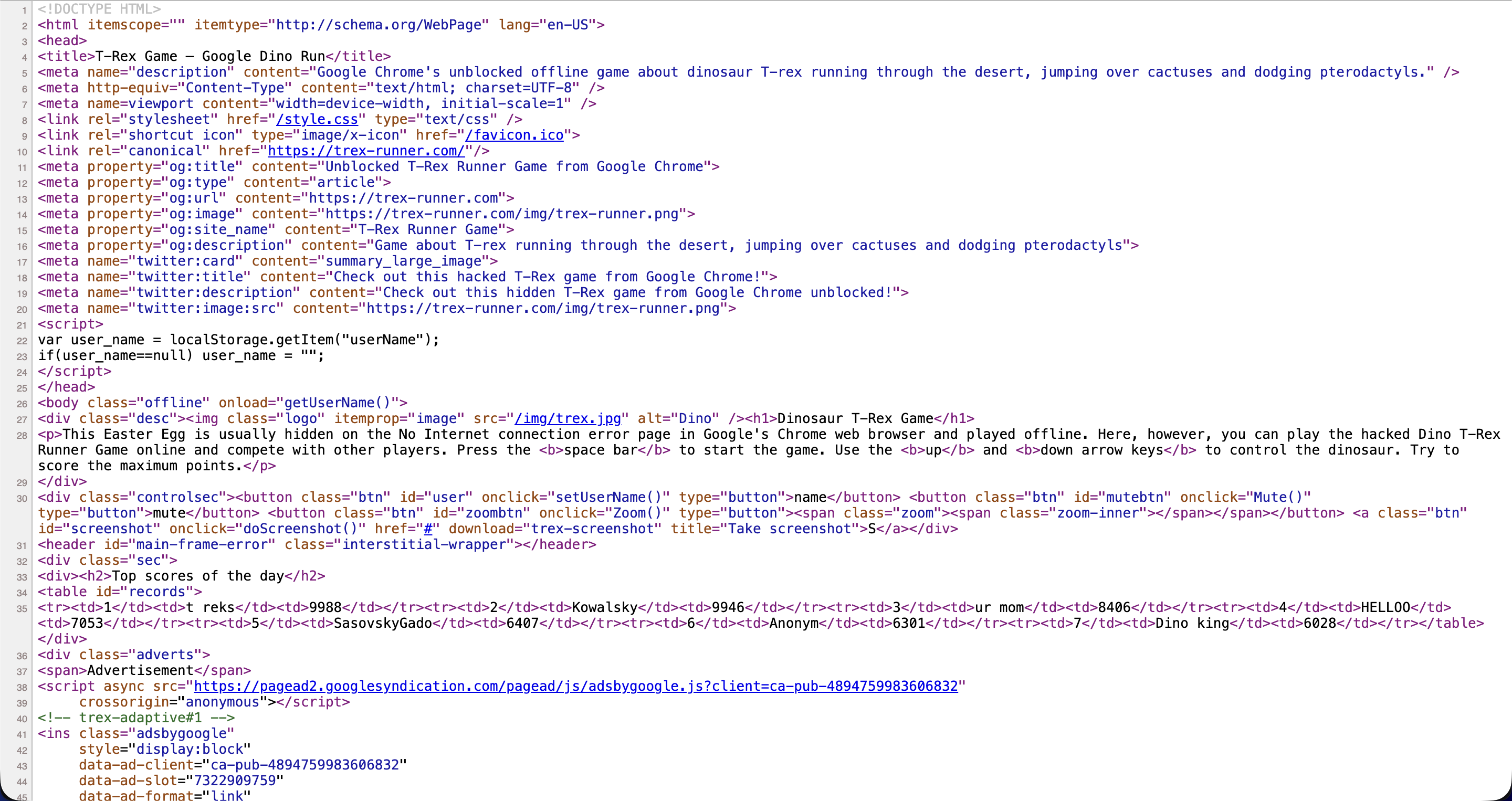
- 소스코드를 분석해보면 어느부분이 어떤 버튼을 나타내고 있는지 확인할 수 있다.
<script src="/trexgamev6.js"></script>
<!-- Global site tag (gtag.js) - Google Analytics -->
<script async src="https://www.googletagmanager.com/gtag/js?id=UA-62795078-2"></script>
<script>
window.dataLayer = window.dataLayer || [];
function gtag(){dataLayer.push(arguments);}
gtag('js', new Date());
gtag('config', 'UA-62795078-2');
</script></body>- 페이지에 게임 코드를 담당하는것으로 의심되는 trexgamev6.js를 찾아 들어간다.
2. 게임 스크립트 분석
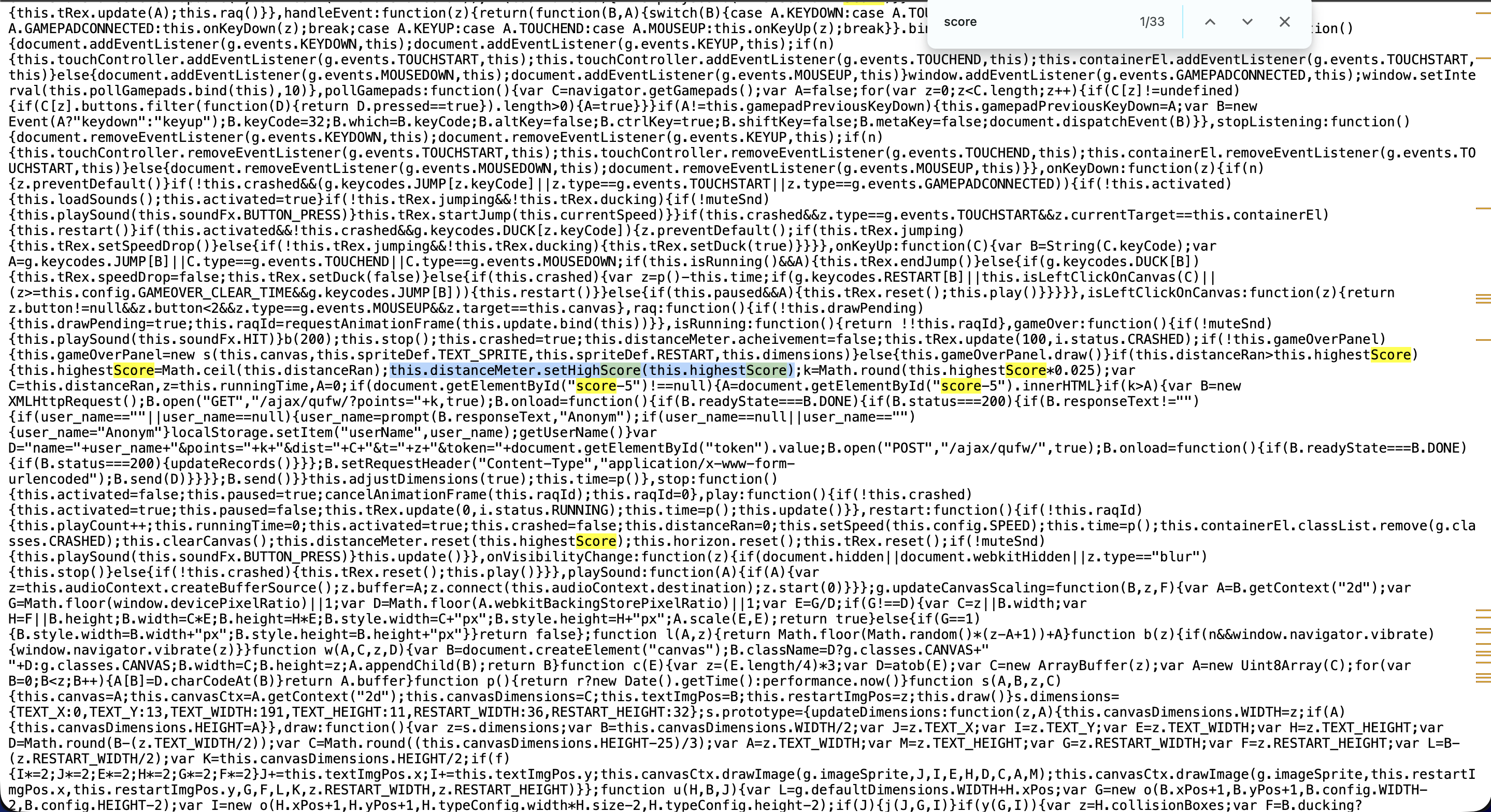
- ctrl + f 로 score키워드를 찾아내어 setHighScore()메서드로 가장 높은 점수를 기록함을 확인할 수 있다.
3. 콘솔에 입력하여 최고점수 조작
- 소스코드에서는 객체가 this였지만 콘솔에서 설정할때는 Runner.instance_로 지정해야한다.

- 여기서 한가지 문제를 발견할 수 있다. 바로 99999점으로 설정하였으나 최고점수가 2500점으로 뜨게된것
- 다시 소스코드를 살펴보면
k=Math.round(this.highestScore*0.025);- setHighScore 메서드 옆에 다음과같은 코드가 있어 highestScore에 0.025가 곱해지는것을 확인할 수 있다.
4. 코드 수정
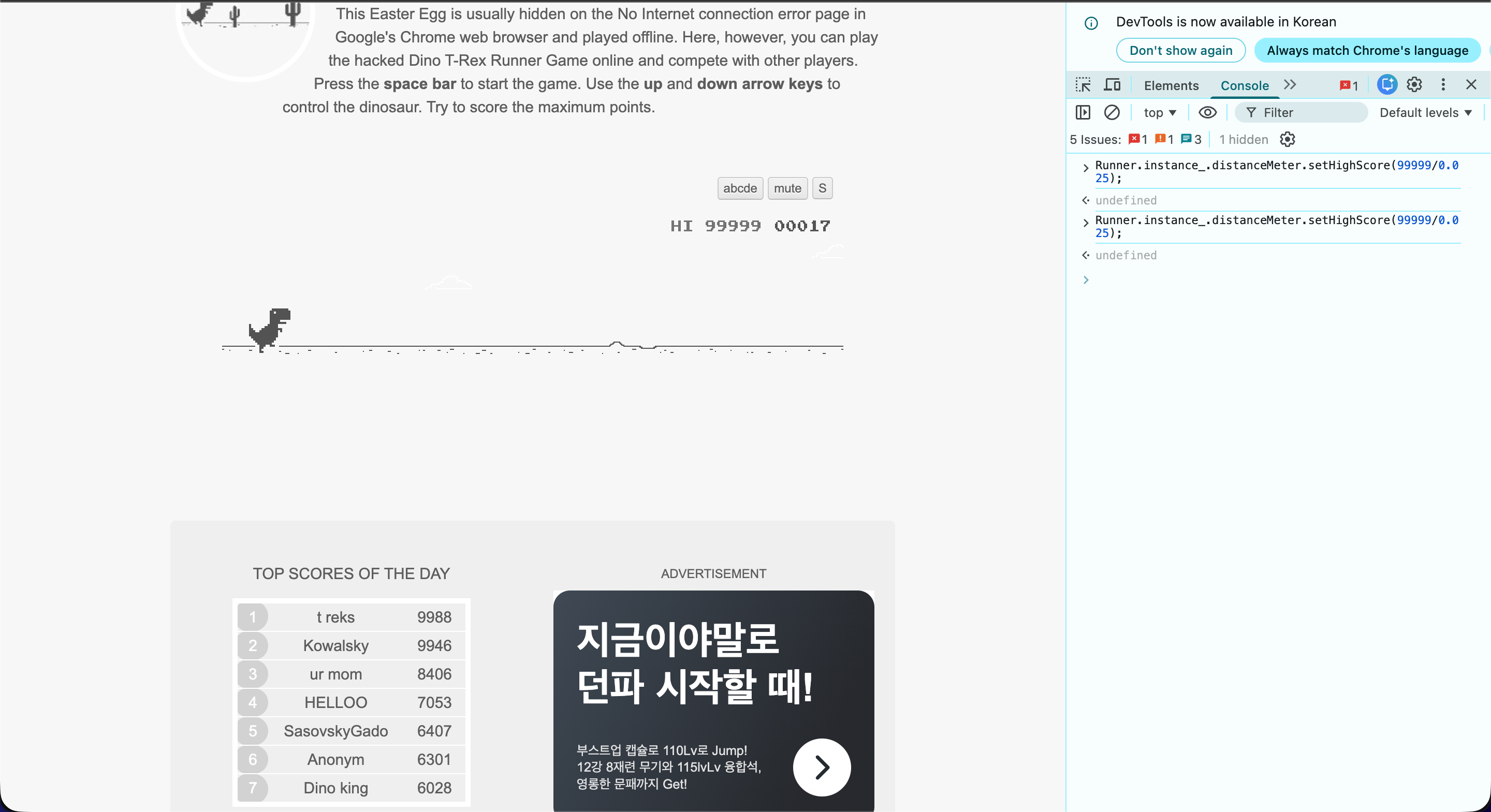
- 매개변수 값을 99999/0.025로 설정하여 *0.025를 상쇄하면 해결
공룡게임을 잘한다면 직접 99999점을 달성해도 좋다
과제 2: Carve Party
로그인 | Dreamhack
dreamhack.io
1. 문제확인
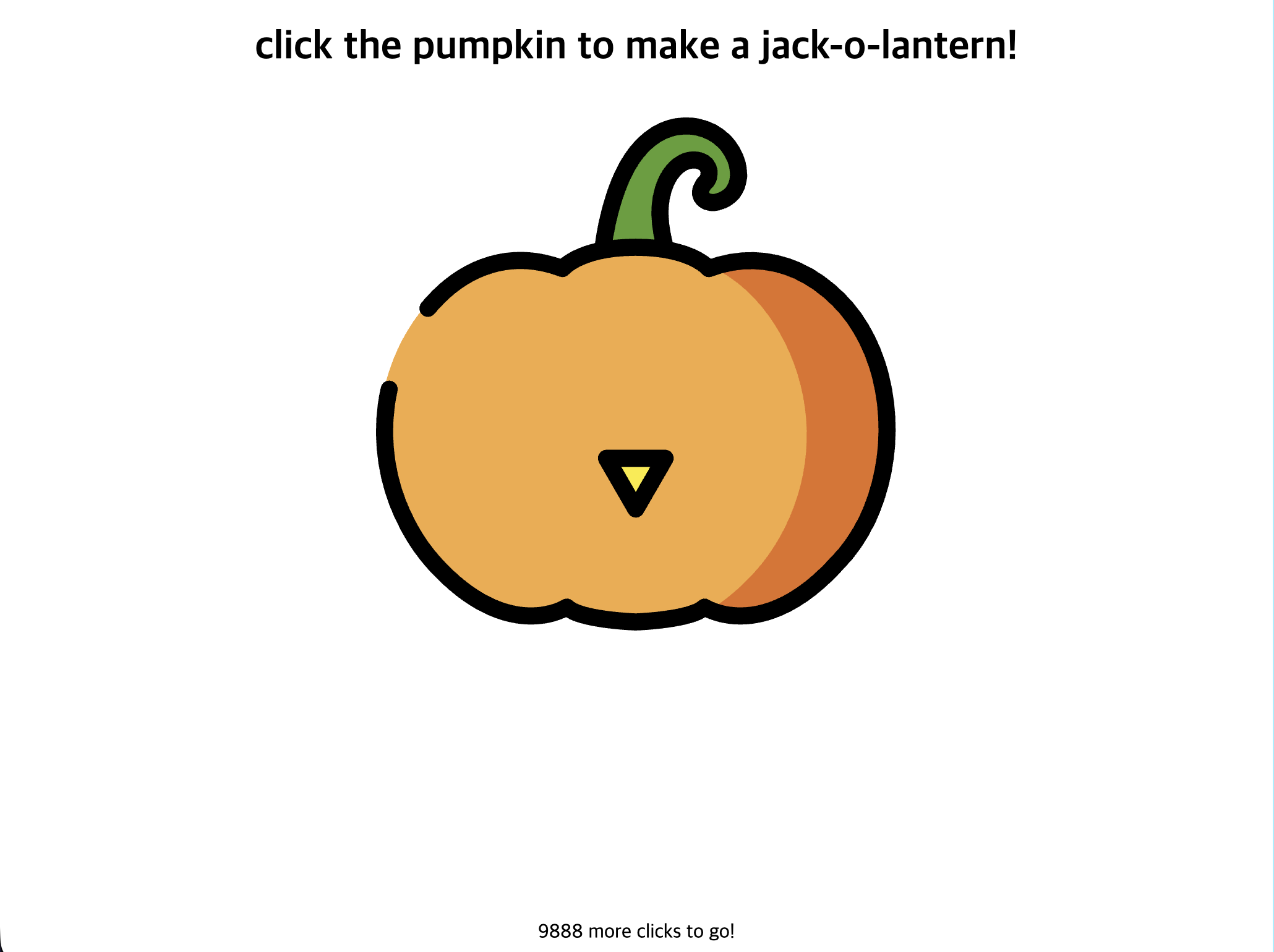
- 호박 이미지를 클릭하면 점점 문양이 생기면서 밑에 있는 숫자가 하나씩 내려감을 확인할 수 있다.
2. 소스코드 분석
<script>
var pumpkin = [ 124, 112, 59, 73, 167, 100, 105, 75, 59, 23, 16, 181, 165, 104, 43, 49, 118, 71, 112, 169, 43, 53 ];
var counter = 0;
var pie = 1;

function make() {
  if (0 < counter && counter <= 1000) {
    $('#jack-nose').css('opacity', (counter) + '%');
  }
  else if (1000 < counter && counter <= 3000) {
    $('#jack-left').css('opacity', (counter - 1000) / 2 + '%');
  }
  else if (3000 < counter && counter <= 5000) {
    $('#jack-right').css('opacity', (counter - 3000) / 2 + '%');
  }
  else if (5000 < counter && counter <= 10000) {
    $('#jack-mouth').css('opacity', (counter - 5000) / 5 + '%');
  }

  if (10000 < counter) {
    $('#jack-target').addClass('tada');
    var ctx = document.querySelector("canvas").getContext("2d"),
    dashLen = 220, dashOffset = dashLen, speed = 20,
    txt = pumpkin.map(x=>String.fromCharCode(x)).join(''), x = 30, i = 0;

    ctx.font = "50px Comic Sans MS, cursive, TSCu_Comic, sans-serif";
    ctx.lineWidth = 5; ctx.lineJoin = "round"; ctx.globalAlpha = 2/3;
    ctx.strokeStyle = ctx.fillStyle = "#1f2f90";

    (function loop() {
      ctx.clearRect(x, 0, 60, 150);
      ctx.setLineDash([dashLen - dashOffset, dashOffset - speed]); // create a long dash mask
      dashOffset -= speed;                                         // reduce dash length
      ctx.strokeText(txt[i], x, 90);                               // stroke letter

      if (dashOffset > 0) requestAnimationFrame(loop);             // animate
      else {
        ctx.fillText(txt[i], x, 90);                               // fill final letter
        dashOffset = dashLen;                                      // prep next char
        x += ctx.measureText(txt[i++]).width + ctx.lineWidth * Math.random();
        ctx.setTransform(1, 0, 0, 1, 0, 3 * Math.random());        // random y-delta
        ctx.rotate(Math.random() * 0.005);                         // random rotation
        if (i < txt.length) requestAnimationFrame(loop);
      }
    })();
  }
  else {
    $('#clicks').text(10000 - counter);
  }
}

$(function() {
  $('#jack-target').click(function () {
    counter += 1;
    if (counter <= 10000 && counter % 100 == 0) {
      for (var i = 0; i < pumpkin.length; i++) {
        pumpkin[i] ^= pie;
        pie = ((pie ^ 0xff) + (i * 10)) & 0xff;
      }
    }
    make();
  });
});
</script>- 소스코드의 스크립트 부분을 살펴보면 마지막쪽에 jack-target을 클릭할때마다 counter가 1씩 증가하고 counter가 10000이하이고 100으로 딱 나누어떨어질때 복호화를 진행하는것으로 보인다.
- 고로 브라우저의 콘솔에 counter를 100씩 100번 증가시키는 코드를 작성한다면 키를 얻을 수 있을거라 예상해본다.
3. payload 입력
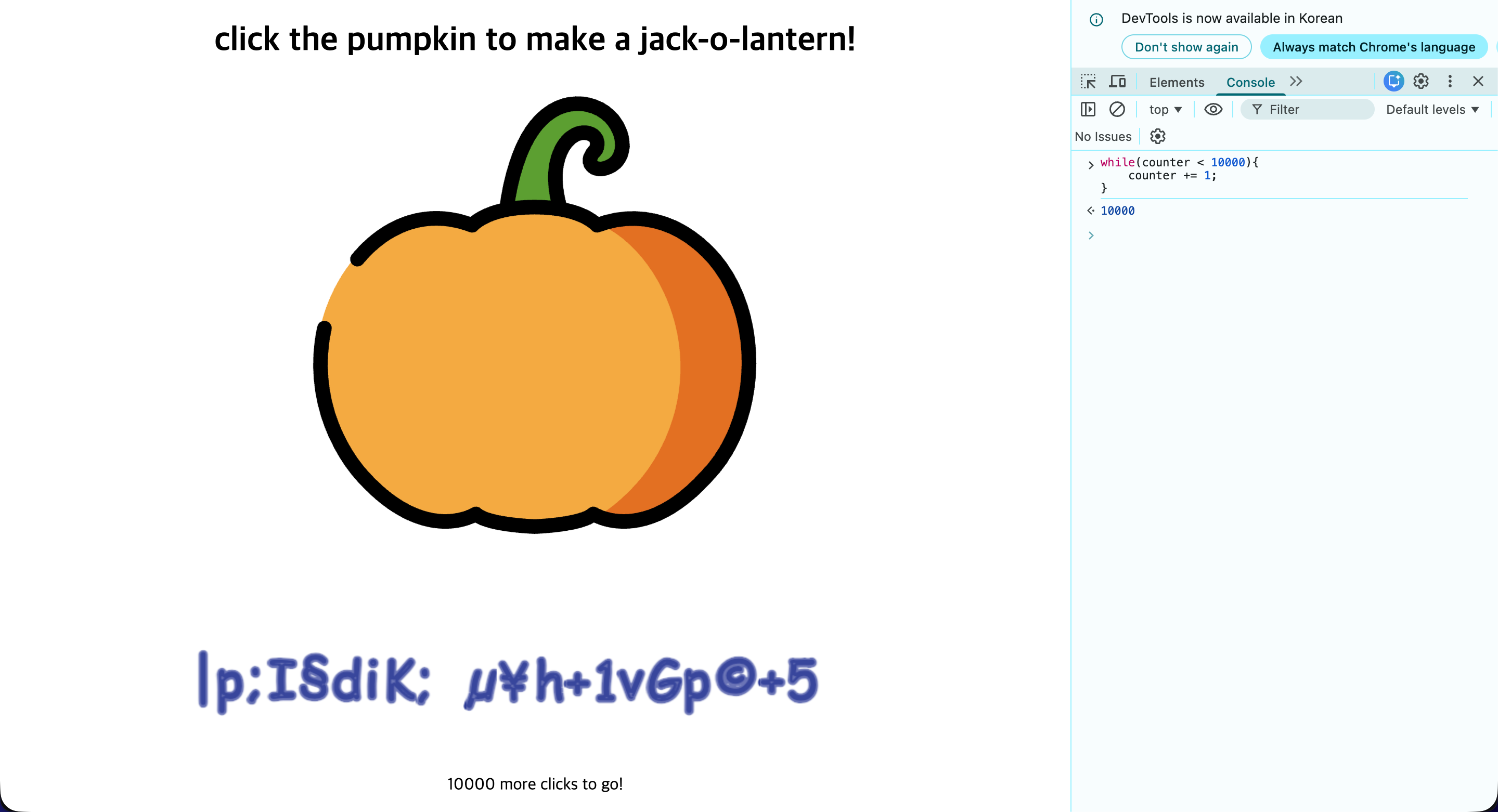
- 문제가 하나 발생했다. counter수를 하나씩 올리면 복호화가 진행될 줄 알았으나 보이는것과같이 복호화가 전혀 진행되지 않음을 확인할 수 있다.
- 그렇다면 콘솔에서 counter를 증가시키면서 복호화도 같이 진행하는 방향으로 payload를 수정해보자

- 보이는바와같이 정상적으로 키가 복호화되었고 make()함수를 매번 호출해주면서 호박의 얼굴도 만들어주었다.
'워게임' 카테고리의 다른 글
| [시스템 해킹] bof1 write-up (0) | 2026.01.16 |
|---|---|
| math.c write-up (0) | 2026.01.16 |
| ICEWALL web-hacking 스터디반 과제 정리 3 (0) | 2026.01.04 |
| [웹 해킹] xss-1 write-up (0) | 2026.01.03 |
| ICEWALL web-hacking 스터디반 과제 정리 1 (0) | 2025.12.30 |